When planning a live event, one of the most critical aspects is ensuring that the audiovisual (AV) setup is seamlessly integrated with the venue. This not only ensures a smooth event but also guarantees that the technical elements are executed flawlessly. A key part of this process is the site visit, where AV vendors and event planners assess the space, logistics, and technical needs of the production. Let’s take an in-depth look at the essential information to gather during your site visit to guarantee your live event’s success.
The Importance of Site Visits
Before diving into the specifics, it’s crucial to understand why site visits are so vital:
- They prevent unexpected challenges on the day of the event
- They provide a firsthand view of the space that photos can’t always capture
- They allow for identifying potential issues before they become significant problems
- They offer an opportunity to build relationships with venue staff
- They allow an AV company to more accurately budget a show and potentially finds ways to save cost
In essence, a thorough site visit serves as an insurance policy against a multitude of potential complications.
Room Dimensions and Layout
Understanding the exact layout of the event space is fundamental to planning the AV setup. Here’s what you need to measure:
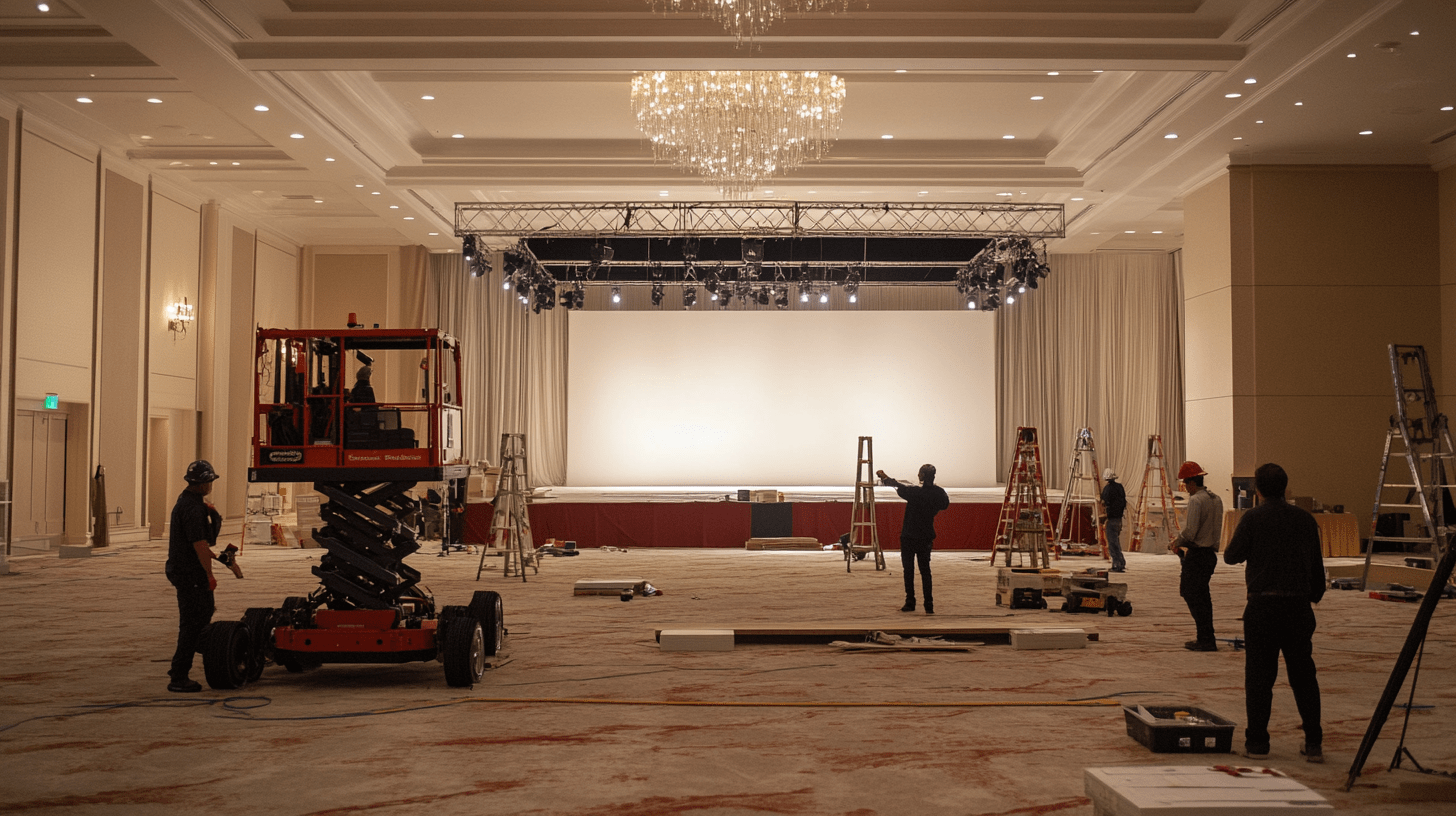
- Room Dimensions – Length, width, and height ultimately dictate what is possible as far as AV solutions go and understanding the general shape of a room (e.g., rectangular, square, or irregular) is helpful for designing solutions. This will affect speaker placement, video screens, and camera angles. Here are a few key things to pay attention to:
- Soffit Height: Soffits, or ceiling ledges, can interfere with projector beams, screen placement, lighting angles, etc., so it’s essential to know their dimensions, separately from the other ceiling height(s).
- Chandelier Height: If chandeliers or other hanging light fixtures are present, note their height, location and diameter.
- Doorways: It’s important to know where the doorways in a room are, noting which will be used for emergency exits, catering service, etc. so that the AV equipment, seating or staging don’t create any blockages.
- Tables, Seating and Staging: This one is crucial- it’s not enough to just understand the general dimensions of the room. To truly be able to design an audiovisual system for an event, we also have to know how many people will be in the space, what that seating looks like, where tables will be, where the stage is, how big it all is, etc. The most helpful thing here is a room diagram that’s to scale with all of this dropped in.
- HINT: Most of the time, this is something you can get from the hotel; you don’t usually have to do this yourself, though your AV company can also generally help with this if you need it.
Pro Tip: Take pictures and videos of the space! A visual reference will help during the planning process and ensure everyone involved has a clear understanding of the venue.
Logistics
Bringing in equipment for audiovisual production often requires careful planning around trucking and access
- Loading Dock: Note whether or not the venue has a loading dock and confirm whether a 53′ truck can fit (note- this is the standard length of a semi truck). Some venues may have height restrictions, so double-check these measurements to avoid surprises on load in day. If there are multiple docks, note it- many shows require several trucks, so if there’s only one dock that everyone has to share, this will add time. If the venue does not have a loading dock, a forklift may be required to stack/unstack equipment. Does the venue have one of these on-site, or do we need to provide one?
- Elevator(s)/Stairs: Sometimes the path to the event space involves going up/down elevators or stairs. We need to know if this is the case, and how big the elevator is or how many stairs there are so we send gear that actually fits.
- Parking: Is there parking available at the venue for the crew? How about the truck?
- Case Storage: Ideally, cases can be stored in the same room as the event, but this is not always possible. If there is no space in the room, find out where the cases can be stored nearby. This is particularly important if equipment needs to be accessed during the event for troubleshooting or adjustments. Also, keep in mind that the farther the cases end up being moved, the longer it’s going to take the crew to bring them back during load out.
- Distance to the Stage: Measure how far the push is from the truck to the stage. The longer the push, the more time and effort it will take to get equipment in and out, so this will affect your schedule.
- Floor Type: The type of floor in the venue may affect your load-in strategy. Depending on the flooring, you may need to supply additional coverings to create a safe path, especially when using heavy equipment like forklifts (ie. grass will require plywood to roll equipment and some venues may require you to cover carpet with a protective plastic).
- Restricted Areas: Some venues may have areas where you’re not allowed to cross with equipment. Knowing these restrictions in advance will help prevent last-minute detours or delays.
Schedule
Larger events need more time to setup, rehearse and load out than smaller ones. Make sure you talk to your AV vendor about how much time they need to do everything, then get on the same page with the venue about when you will need access to the space before, during and after the event to ensure a smooth event.
Note: Schedule is VERY important.. so important in fact that we’ll do a follow-up blog talking all about it.
Power Requirements
Power is the lifeblood of any AV setup, so understanding the venue’s power capabilities is essential.
- 3-Phase Power: Check if the venue has 3-phase power available, which is often required for larger events with substantial AV needs, and note how many amps the 3-phase power drop(s) are.
- Power Drops and Amps: In addition to the 3-phase power, determine how many other power drops are available and how many amps each drop can handle. The number and placement of drops will influence the location of equipment.
- Power Location: Notate where all of these power sources are located. This allows us to make sure cable management and power distribution is run efficiently throughout the venue.
- Generators: If the venue’s power supply is insufficient, you may need to bring in a generator. Find out where the generator can be placed and how far it is from the event space. This will help you plan cable runs and ensure there is no noise interference from the generator.
Note: Nearly all venues require you to use their in-house power drop(s), but not the distribution of the power. It’s often more cost effective to have your AV vendor distribute the power around the room where it’s needed.
Venue Exclusives
In addition to power, there are many times other services that you must use the venue’s in-house services for, which are important to note. The main ones are:
- Power – As mentioned above, power drops are generally exclusive, but not the distribution. However, if it’s not, bringing in a generator may be a good option, especially if the venue doesn’t have enough power.
- Rigging – Most venues require you to use them for any motors, hoists, or other rigging equipment, as well as the associated labor, when hanging from the ceiling. It’s important to note what the in-house must provide (ie. some places allow you to bring truss, others don’t), specifically to avoid any duplicate orders with your AV supplier.
- Union Labor – Some venues have exclusive contracts with union labor providers, and their set of rules may be totally different than you’re used to. Make sure to notate whether or not your venue is a union vendor and if you’re bringing in a 3rd party AV company, it’s generally best to hire one that has experience working with the union to avoid any potential, costly mistakes.
In-House Contact Information
Knowing who to contact for the various aspects of the event is vital. During your site visit, gather the following information:
- Hotel Salesperson: This person will likely be your primary contact for logistics involving the venue.
- In-House AV Contact: Most venues have an in-house AV team or contact person. They can provide insights into existing AV infrastructure or venue policies regarding external AV vendors.
- In-House Engineer: This person can assist with any technical requirements related to the venue, such as power.
- Security Contact: Knowing who to contact for security-related issues, such as emergency exits, guest access, or restricted areas, is crucial.
A thorough site visit is essential to the success of any live event with AV production. By gathering detailed information, as listed above, you can ensure that your AV setup will be seamless and effective. Proper preparation allows for more creativity in your audiovisual design and minimizes the risk of technical issues on the event day.
On your next event, make sure to take the time to conduct a comprehensive site visit. It not only saves time and effort later on but also gives everyone involved the confidence that all technical aspects have been accounted for.